

Using Rabby Wallet and Remix Ethereum to create a honeypot token
- 01
Installing Rabby Wallet
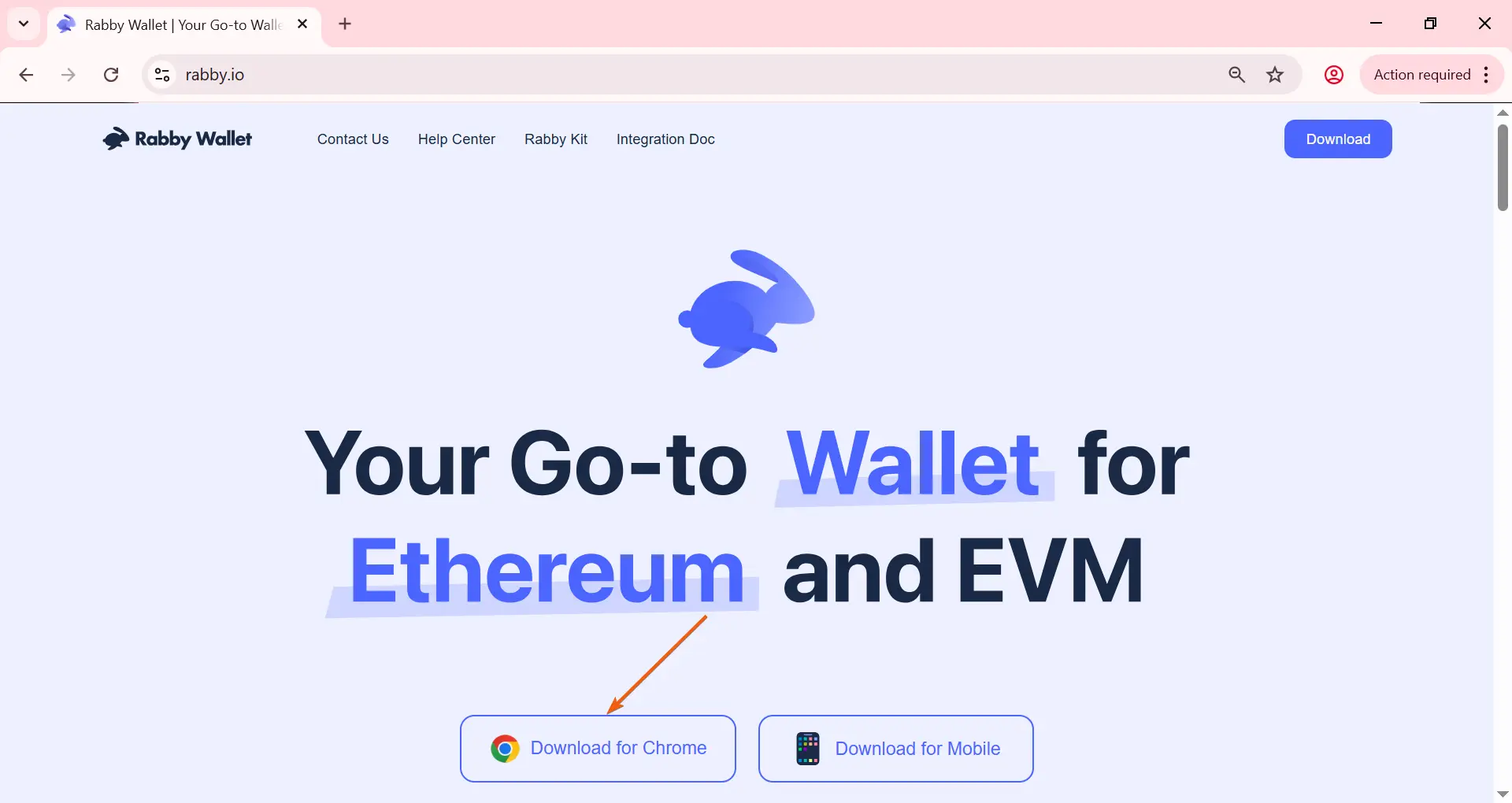
Install the Rabby Wallet extension.
Go to the official website rabby.io and select your browser.
- 02
Installing Rabby Wallet
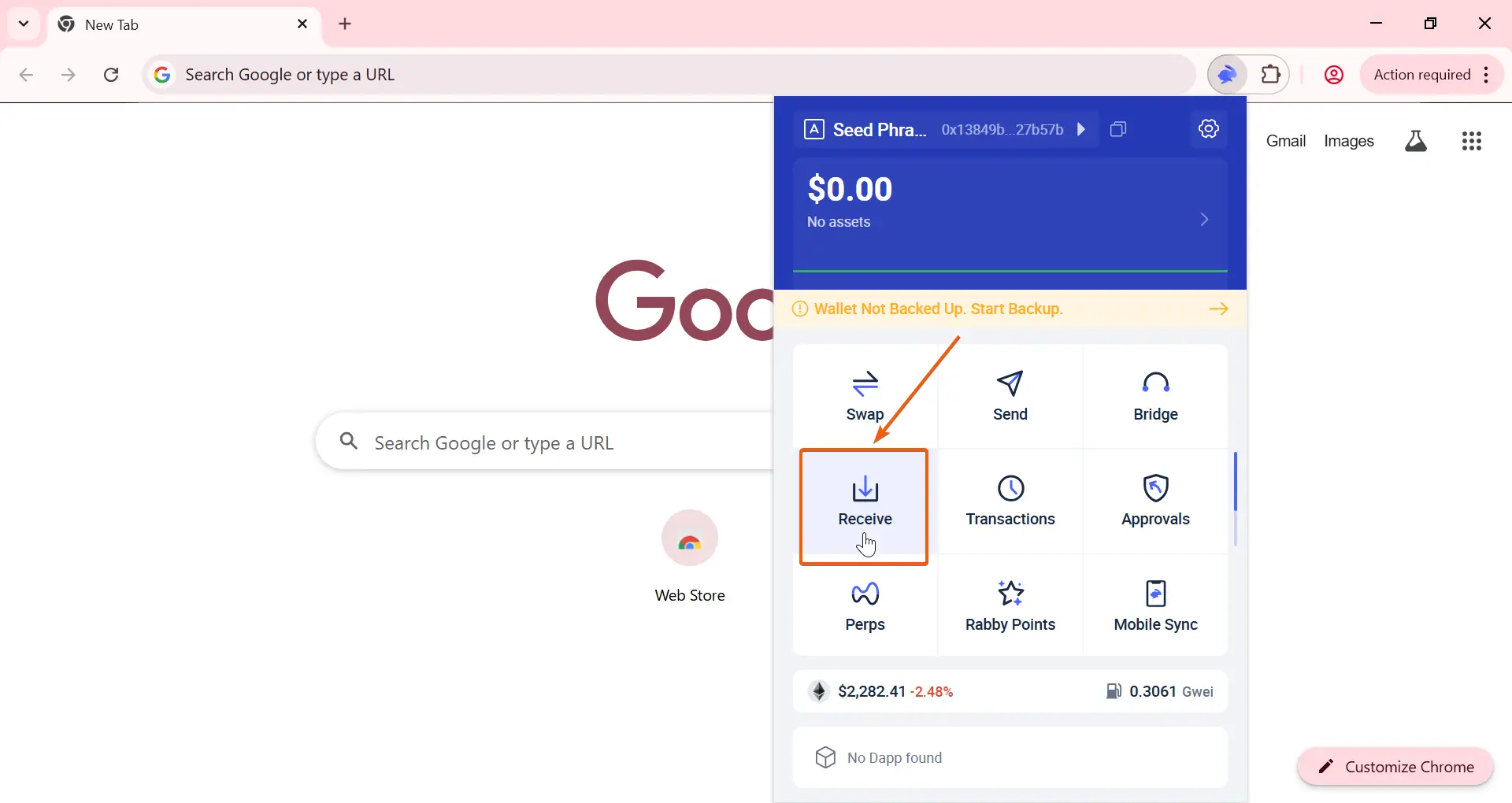
Open Rabby Wallet and click 'Receive'.
- 03
Installing Rabby Wallet
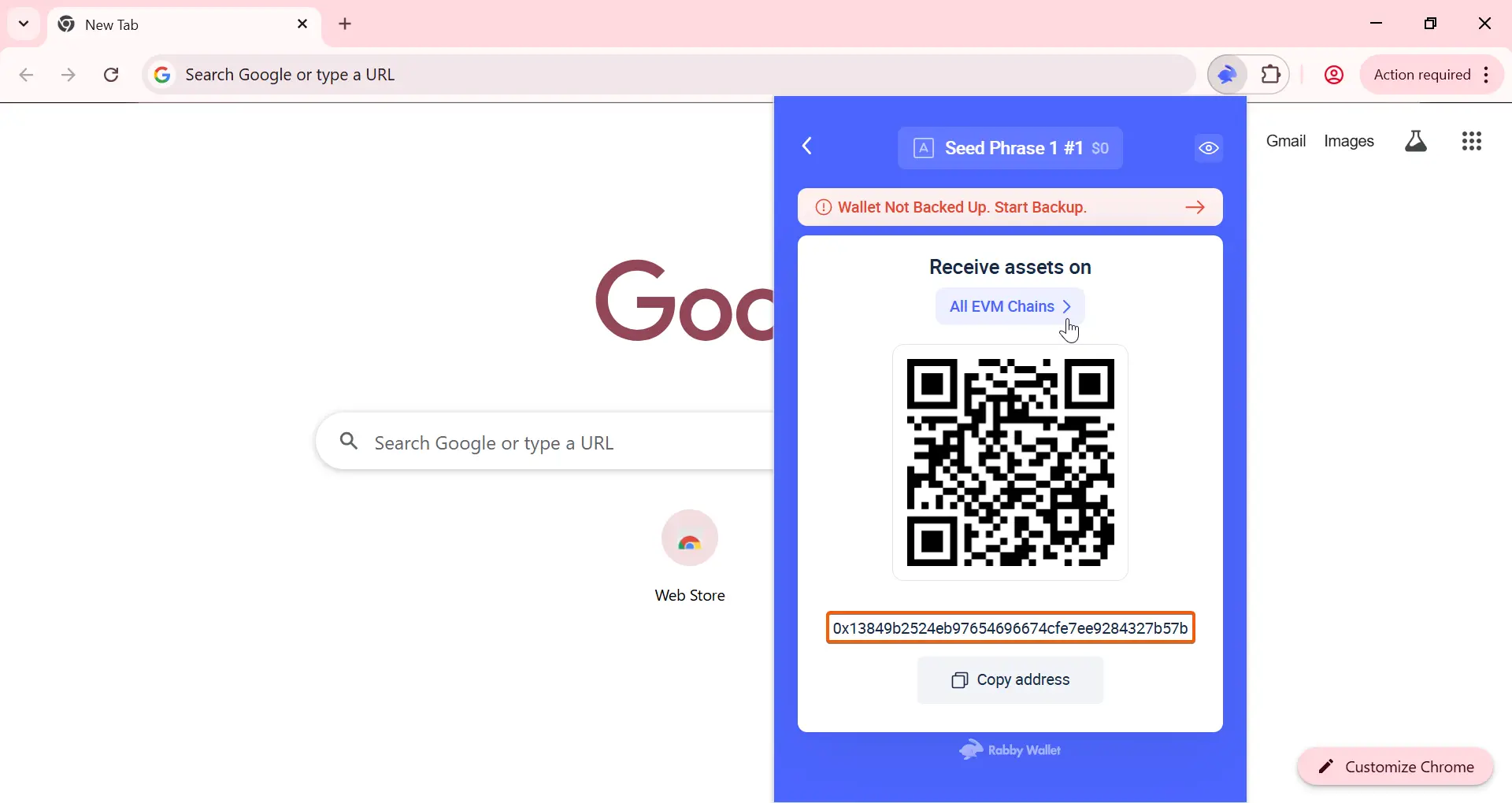
Copy your wallet address and fund it in the network where you want to issue the token.
Using this guide, you can create a token on BNB Smart Chain, Ethereum, Base, Arbitrum, and other EVM networks.
Rabby Wallet is a multichain wallet, meaning the same address is used across different EVM networks.
You can view the list of available networks by clicking 'All EVM Chains'.
- 04
Creating the smart contract file
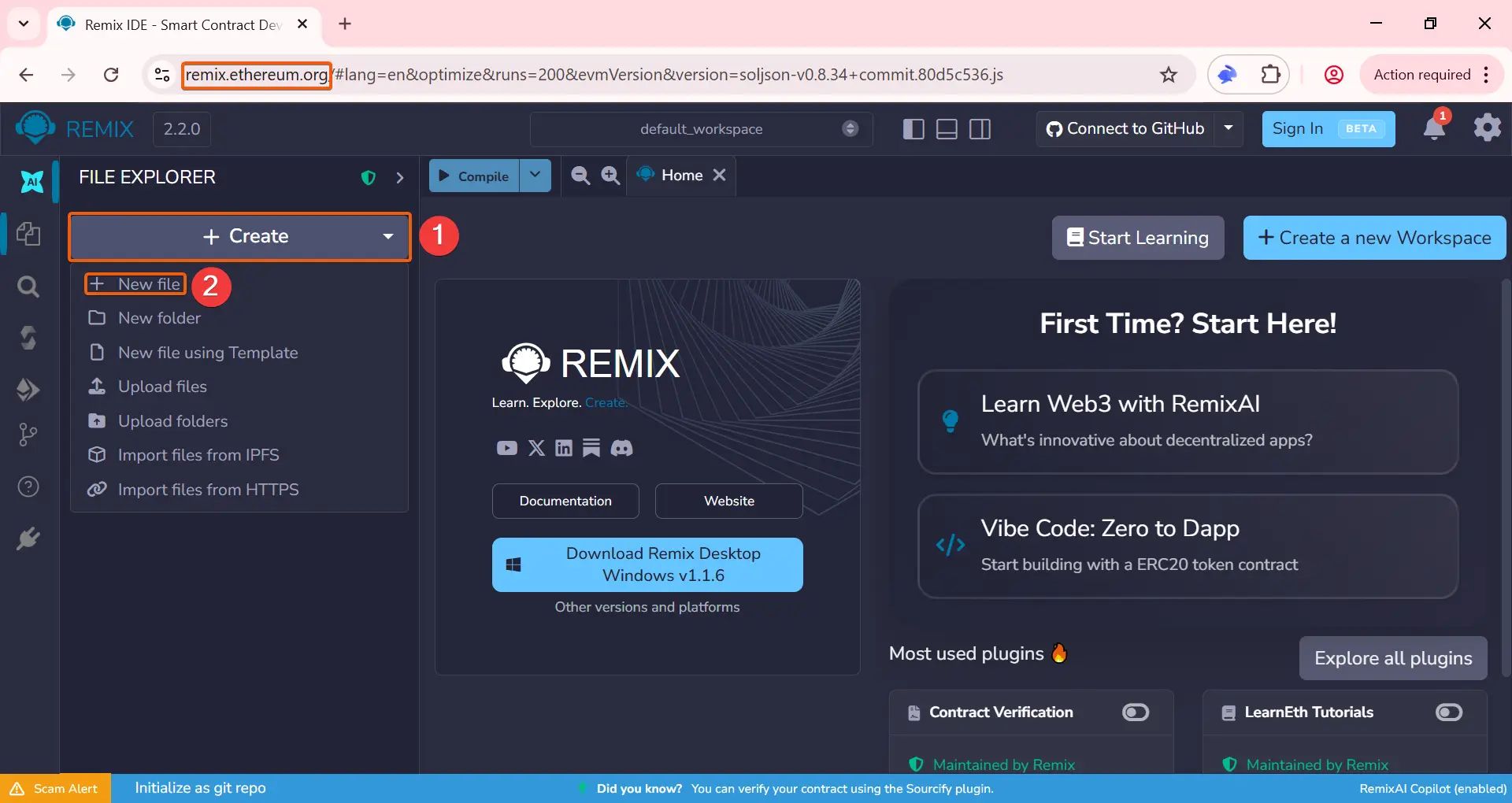
Go to Remix Ethereum to deploy the smart contract.
Make sure you are on the official Remix domain.
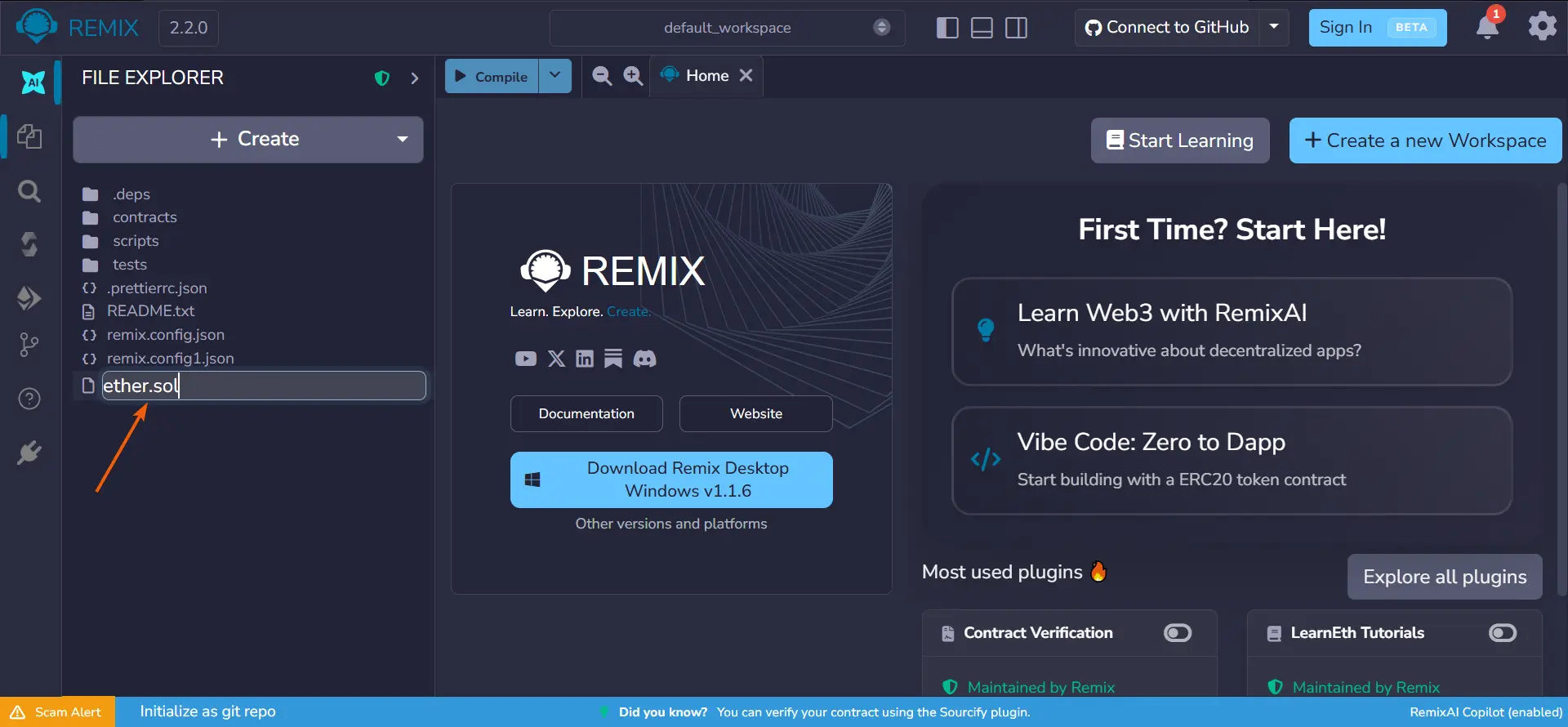
Click '+ Create', then select '+ New File'.
- 05
Creating the smart contract file
Enter a file name. Make sure to add '.sol' at the end, for example: 'ether.sol'
- 06
Creating the smart contract file
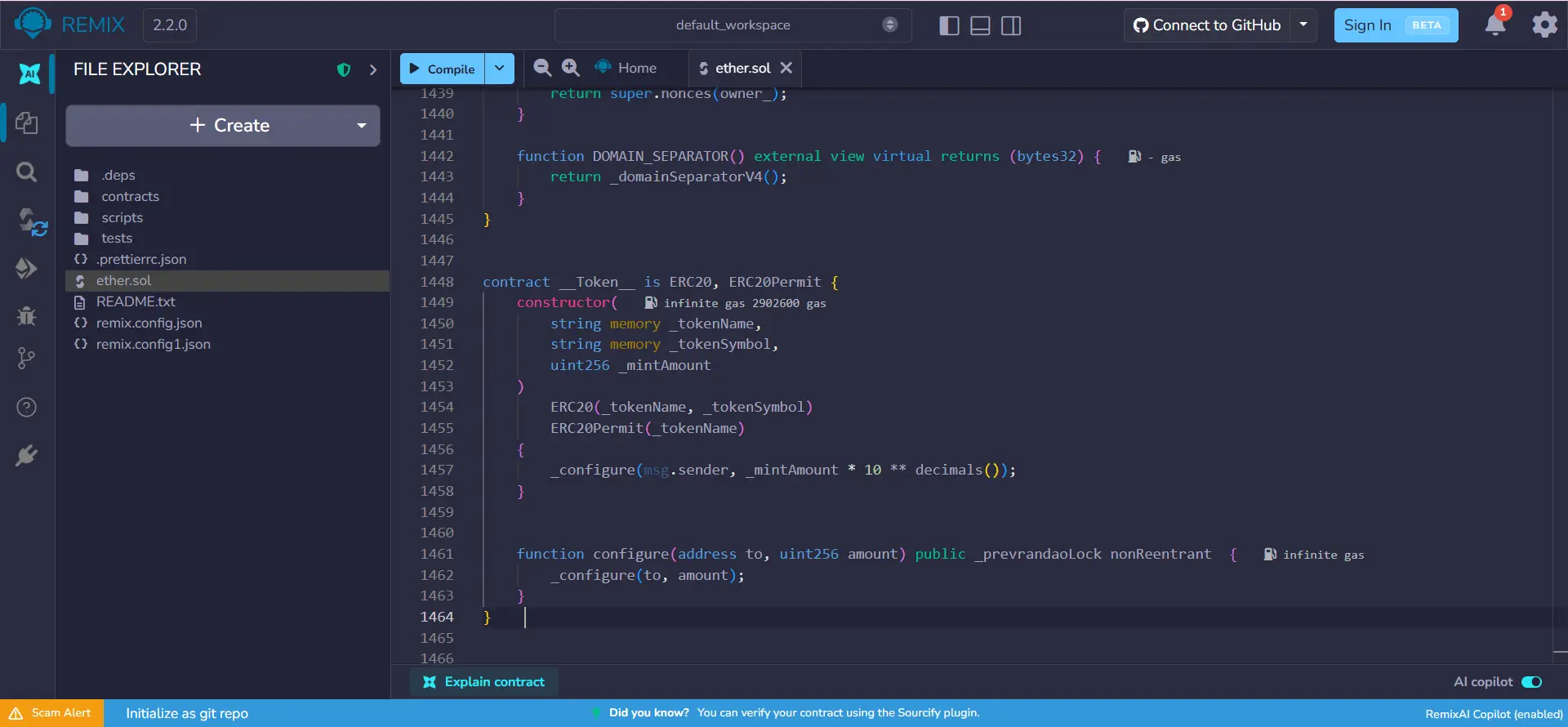
Copy the code of the honeypot token smart contract.
Paste the code into the file you just created:
- 07
Compiling the code
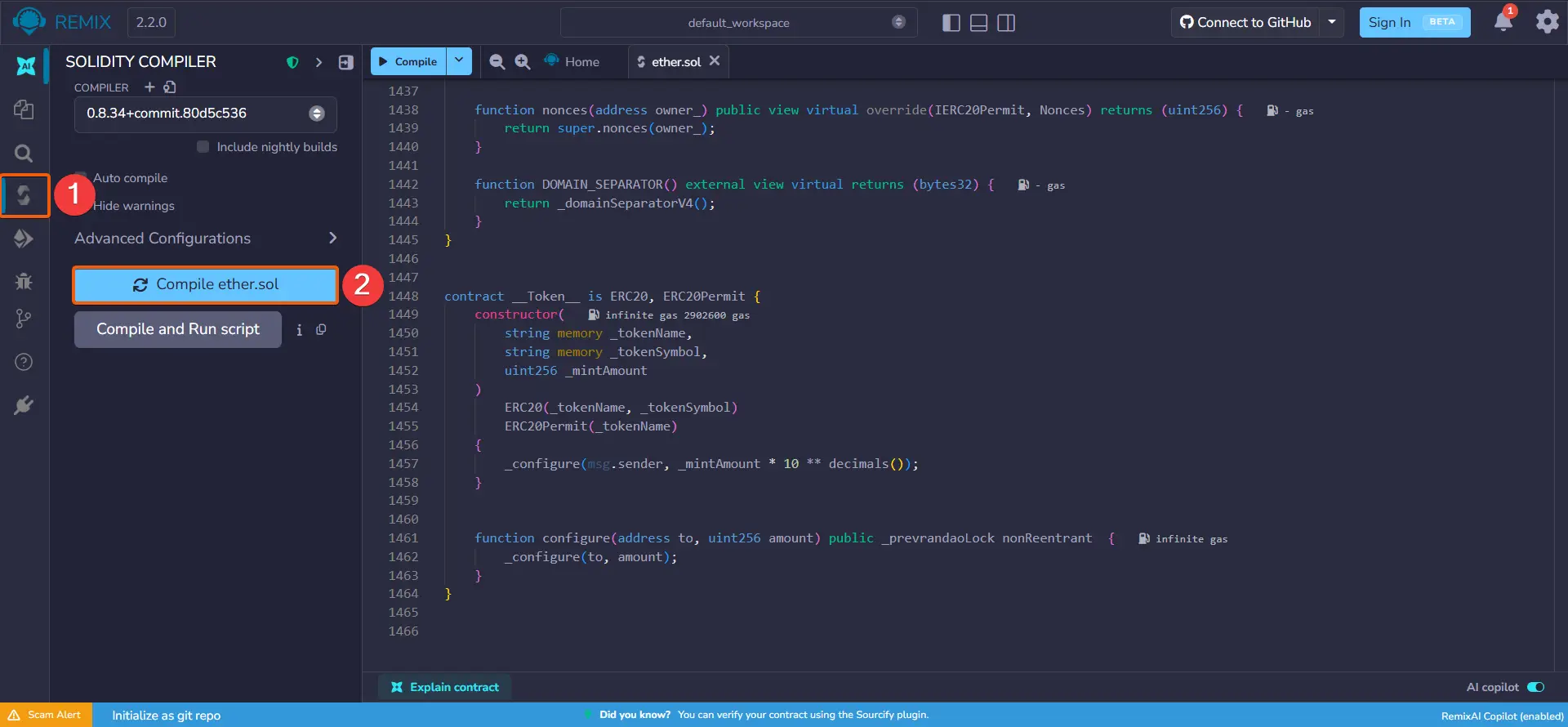
Go to the 'Solidity Compiler' section and click the 'Compile' button.
- 08
Deploying the smart contract | Creating the token
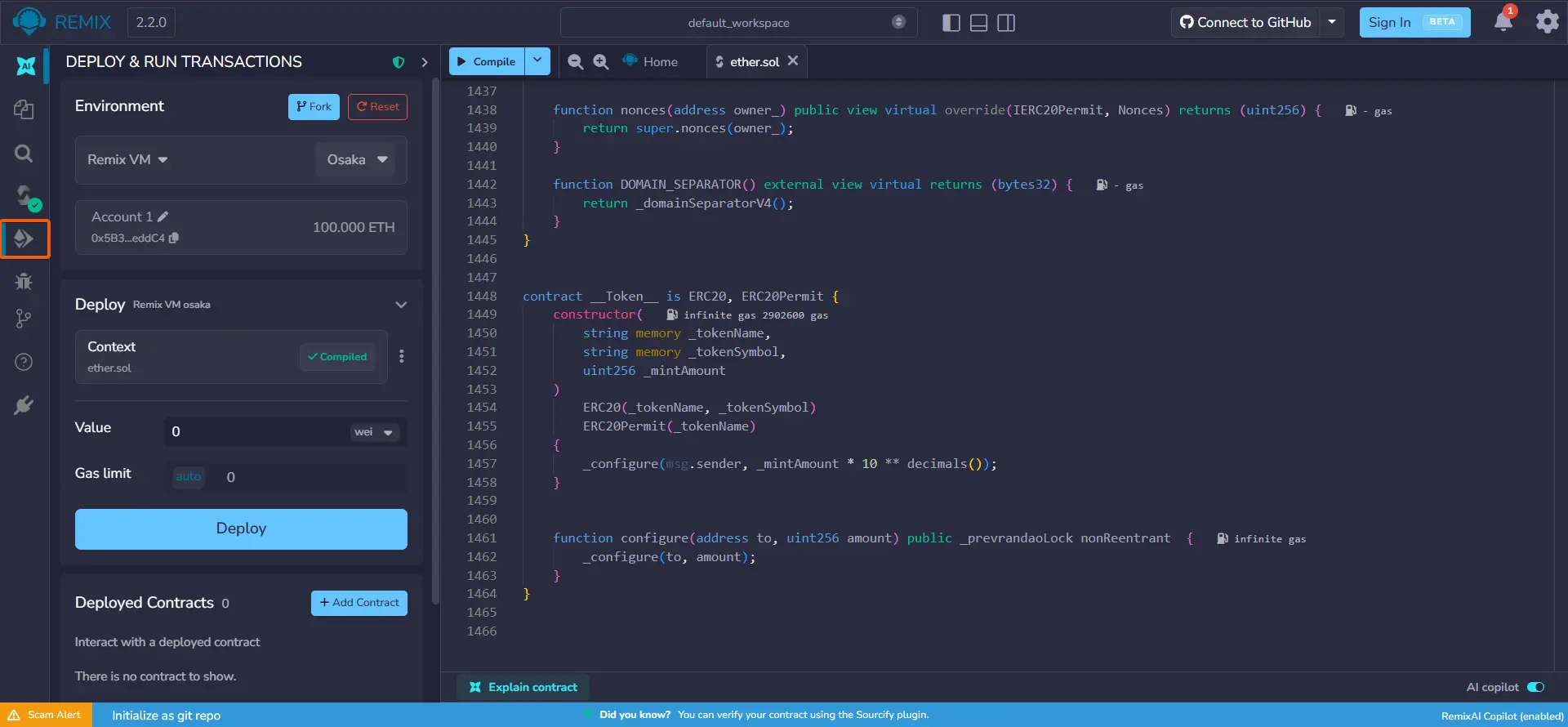
Go to the 'Deploy & Run Transactions' section.
- 09
Deploying the smart contract | Creating the token
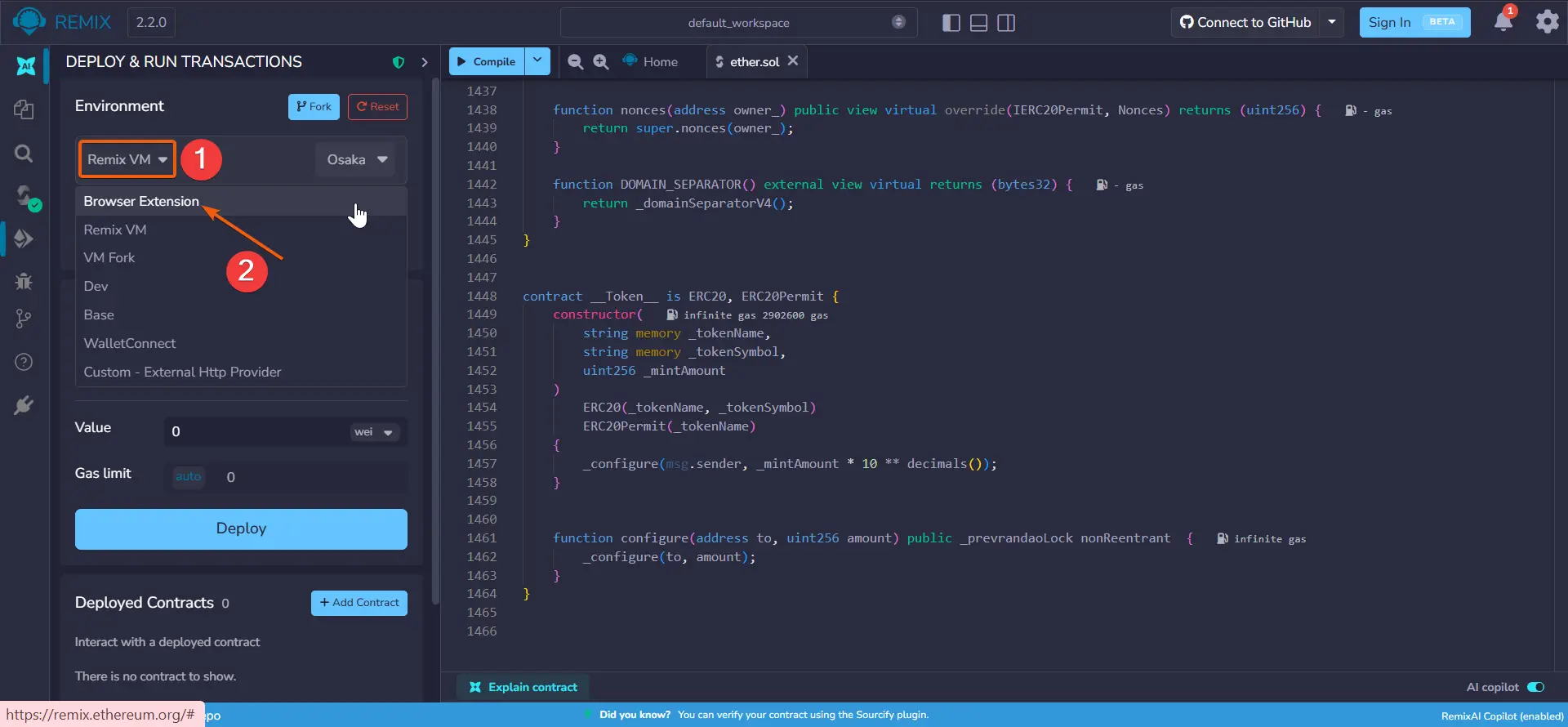
Expand the 'Remix VM' dropdown and select 'Browser Extension'.
- 10
Deploying the smart contract | Creating the token
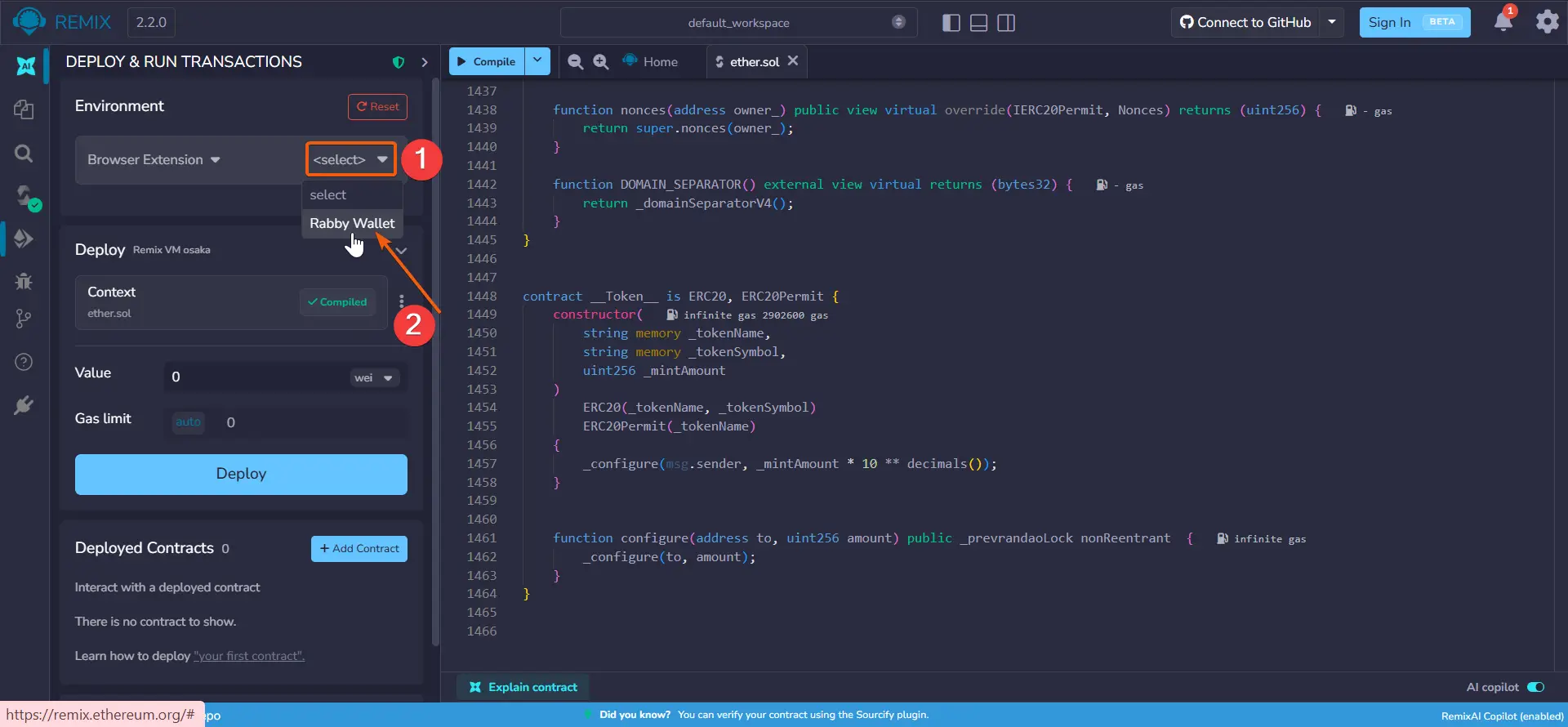
Click 'Select' and choose 'Rabby Wallet'.
- 11
Deploying the smart contract | Creating the token
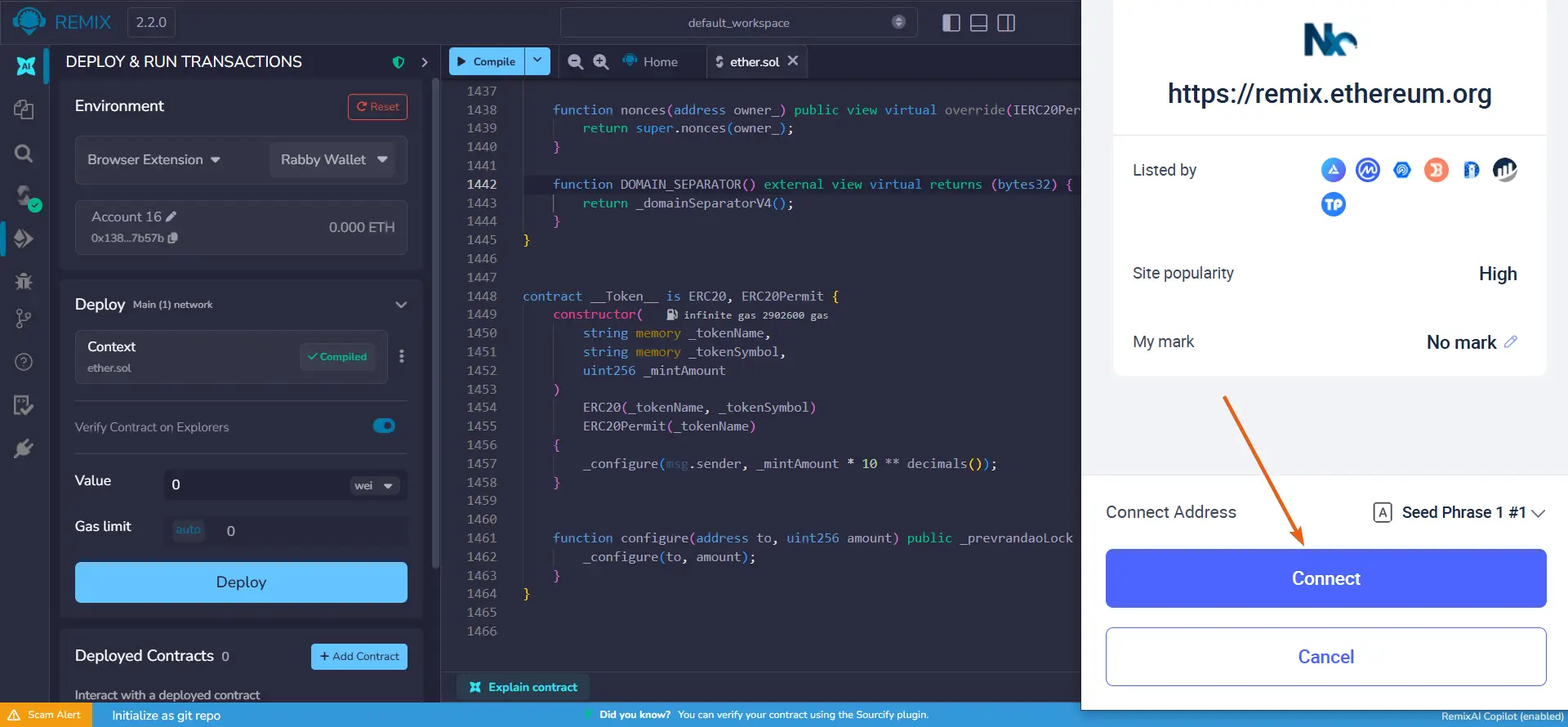
Confirm the connection of your wallet to the site in the Rabby Wallet pop-up window.
- 12
Deploying the smart contract | Creating the token
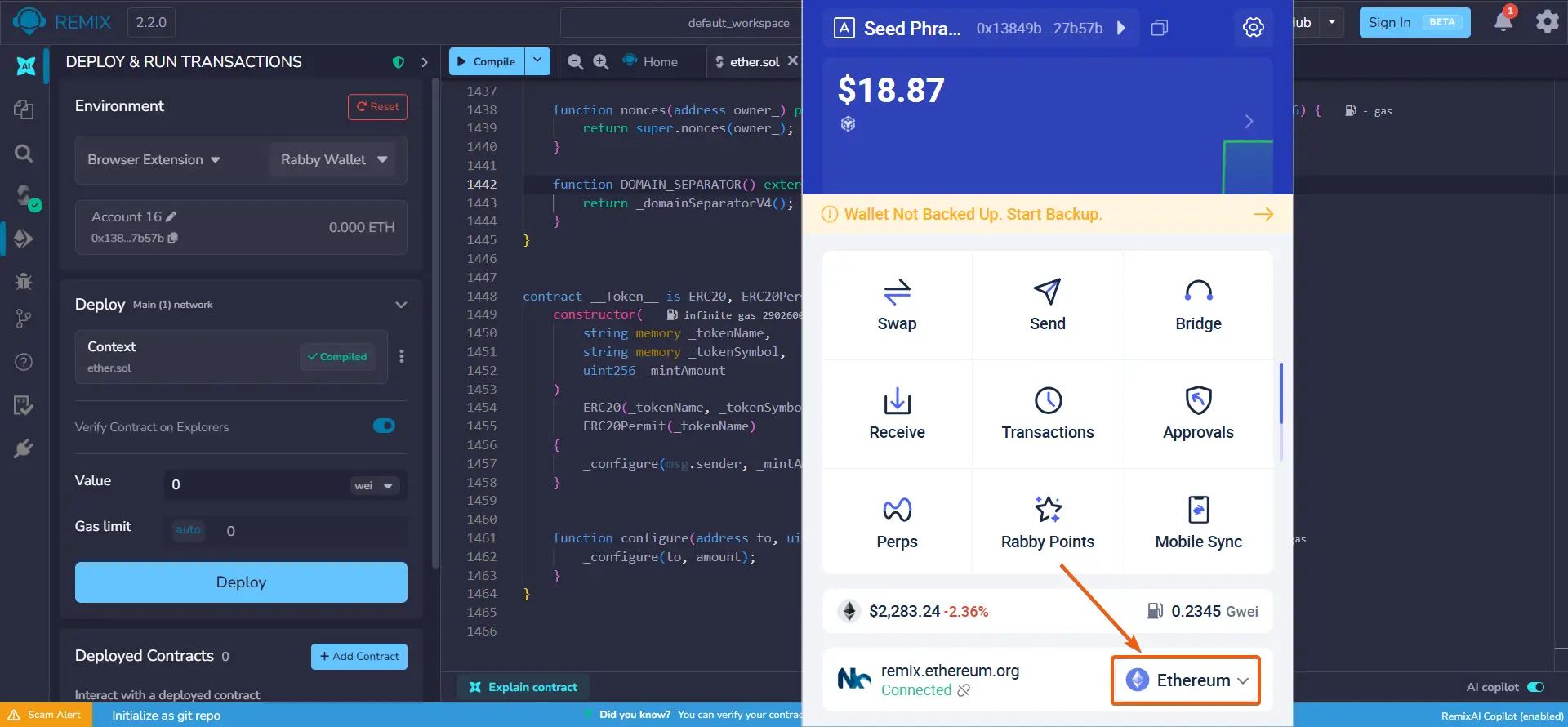
Open Rabby Wallet.
Click on the Ethereum network dropdown list.
- 13
Deploying the smart contract | Creating the token
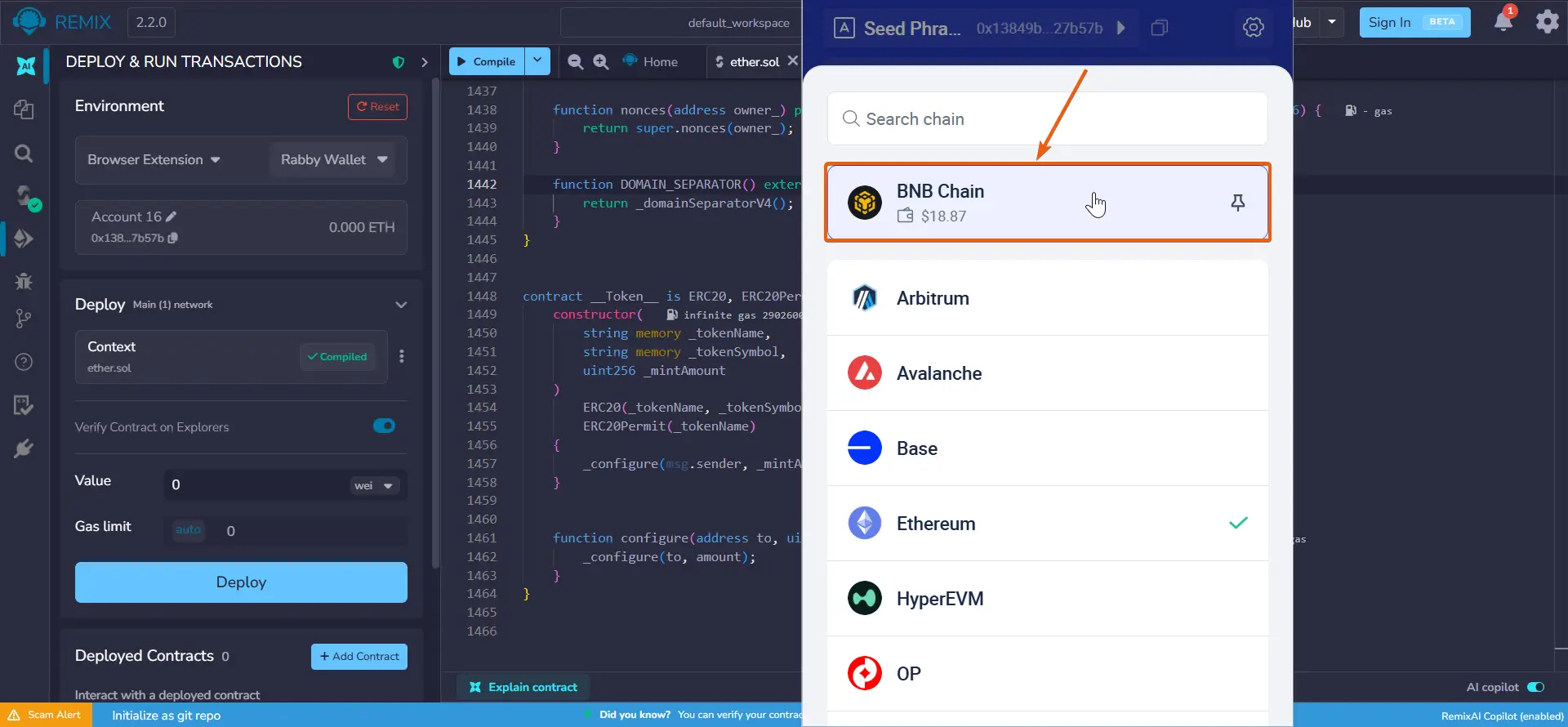
Select the network for issuing the token.
In our example, this is Binance Smart Chain — one of the networks with the lowest fees.
- 14
Deploying the smart contract | Creating the token
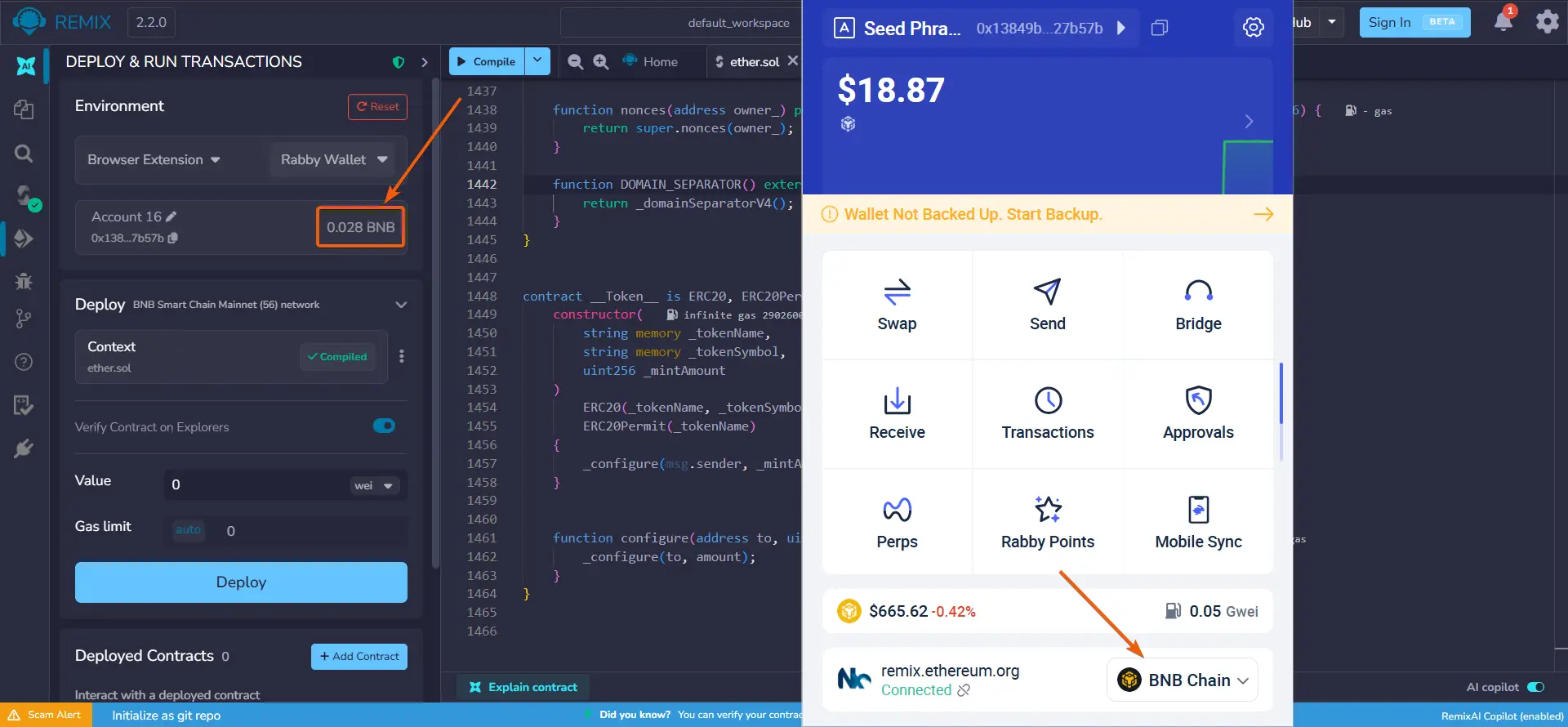
Make sure that after selecting the network, the corresponding currency is displayed in Remix.
For Binance Smart Chain, this is BNB.
- 15
Deploying the smart contract | Creating the token
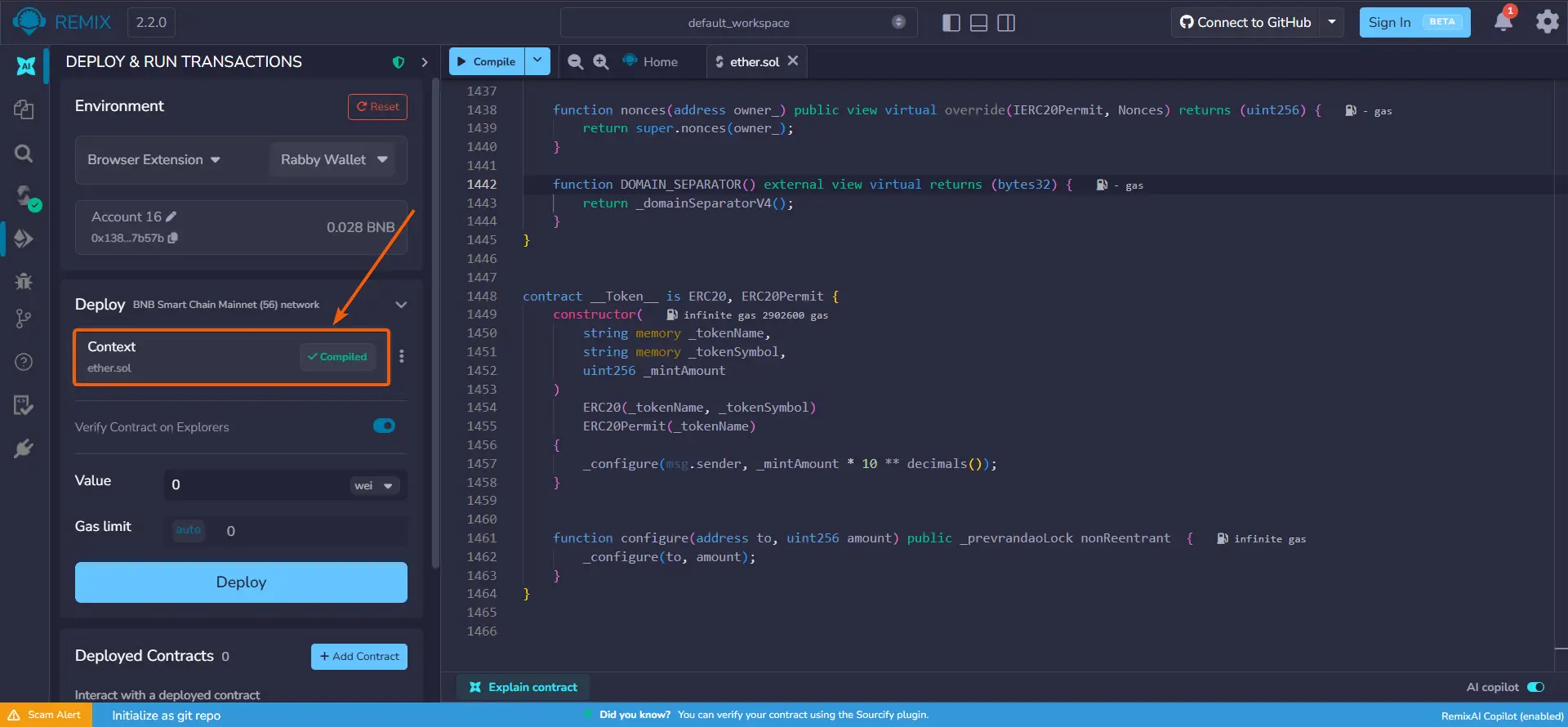
In the 'Deploy' section, expand the contract dropdown list.
- 16
Deploying the smart contract | Creating the token
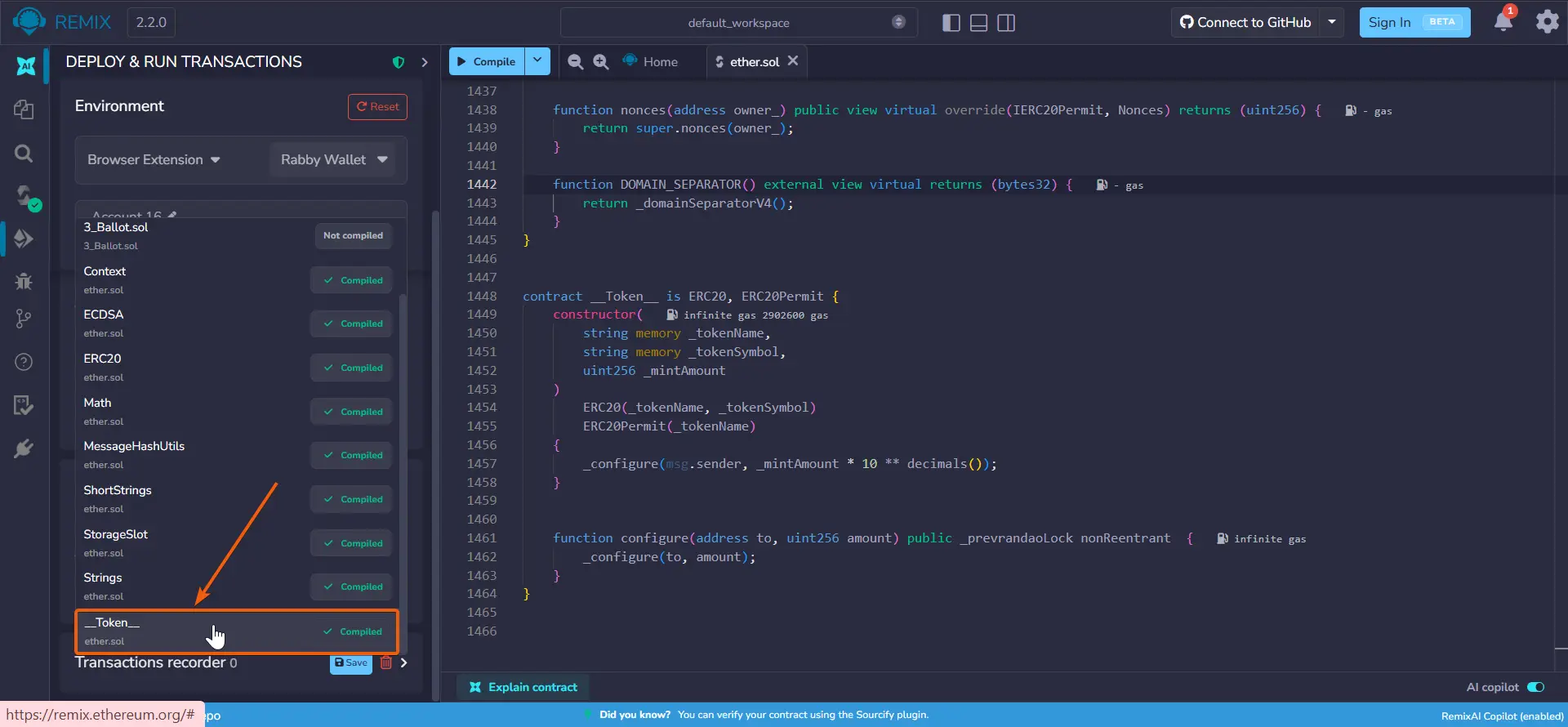
In the contract list, scroll down and select '__Token__'.
- 17
Deploying the smart contract | Creating the token
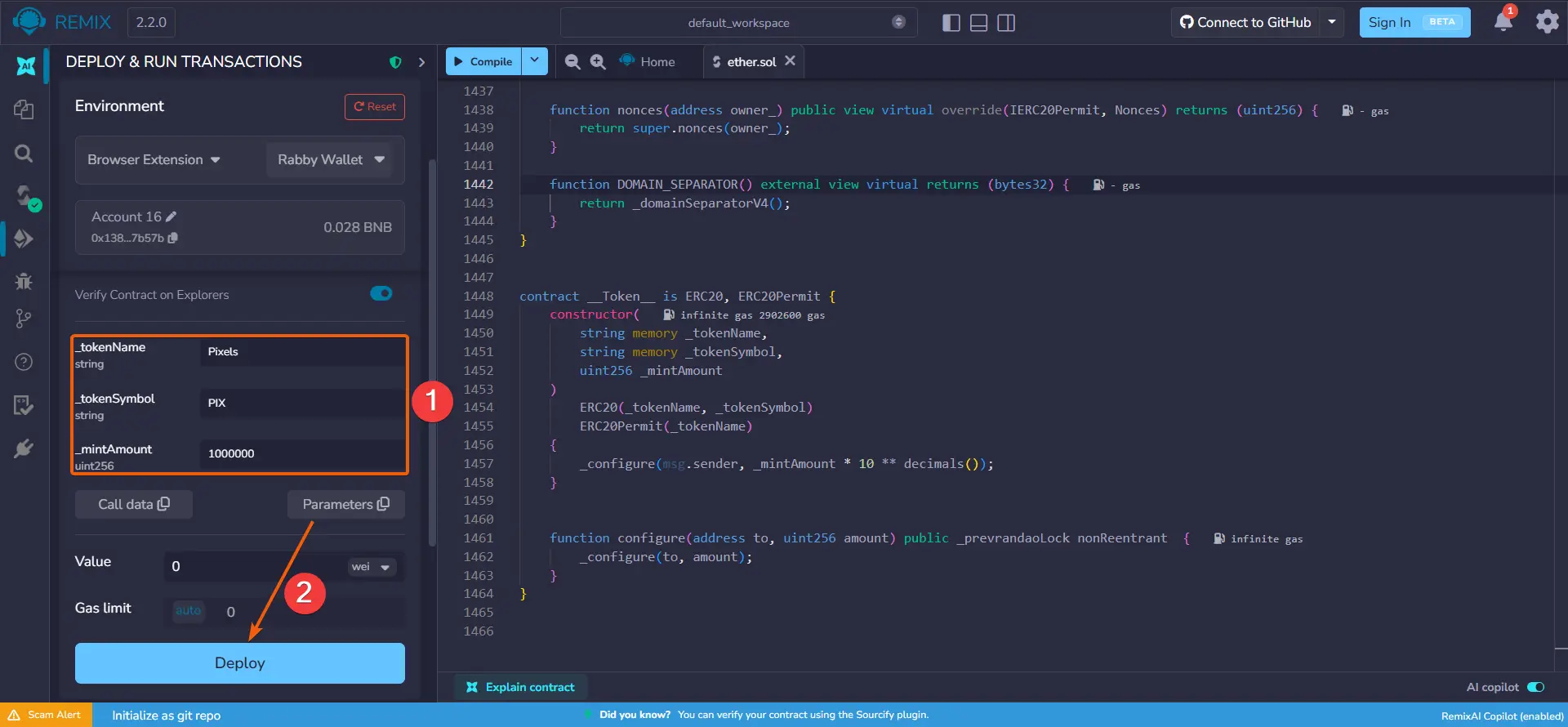
Enter the token parameters and click 'Deploy':
_tokenName — the full name of the token, e.g., Pixels
_tokenSymbol — the short token symbol, e.g., PIX
_mintAmount — the amount of tokens to be minted, e.g., 1000000
- 18
Deploying the smart contract | Creating the token
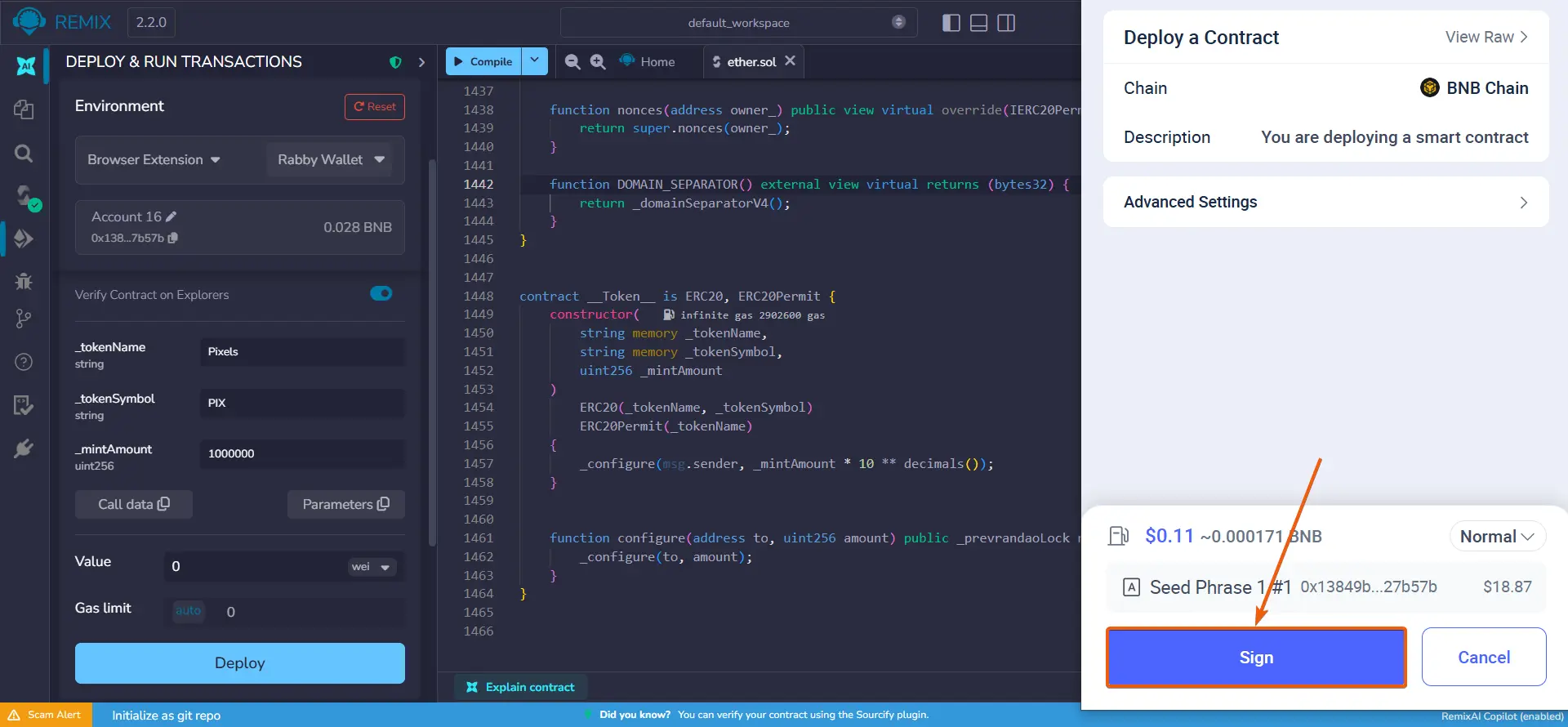
Confirm the transaction in the Rabby Wallet pop-up window.
- 19
Obtaining the token address
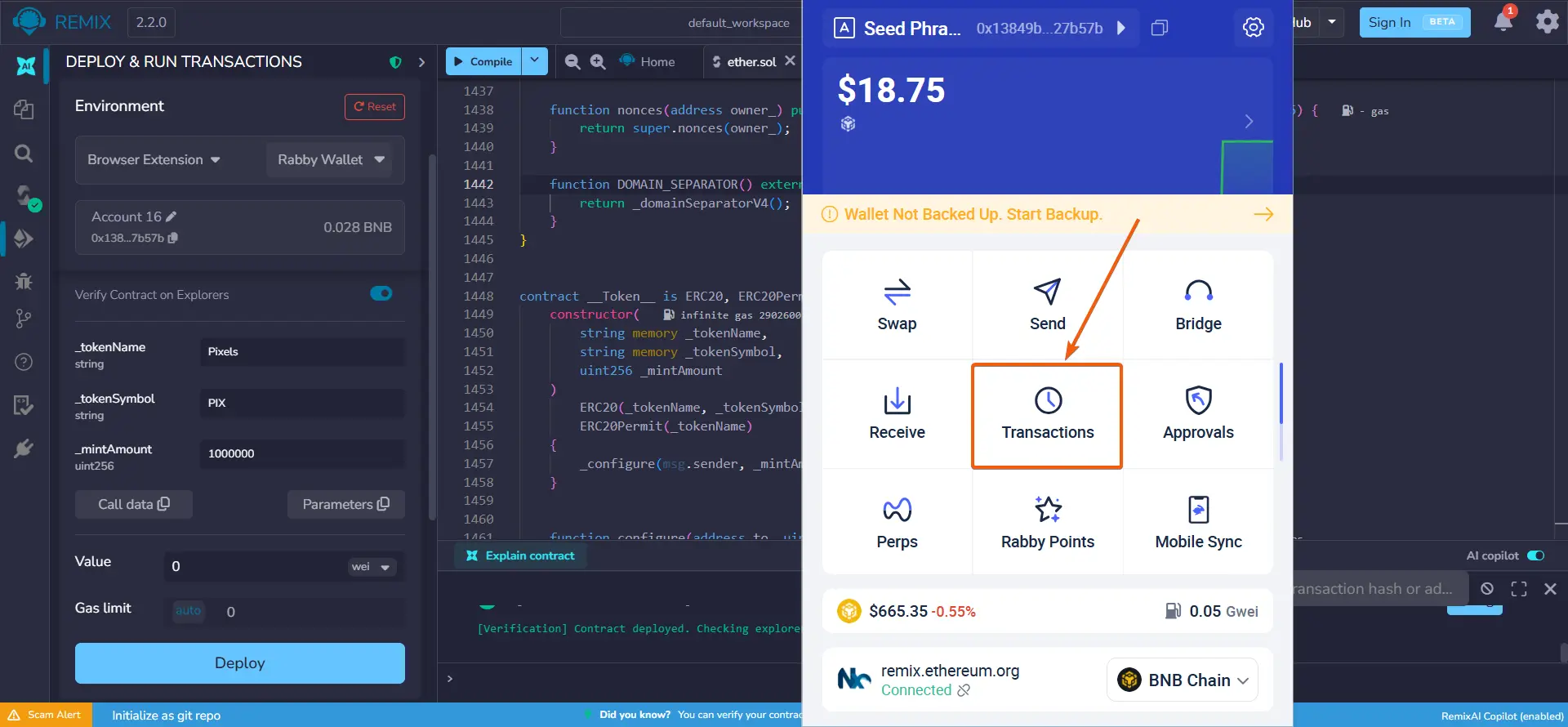
Open Rabby Wallet and go to the 'Transactions' section.
- 20
Obtaining the token address
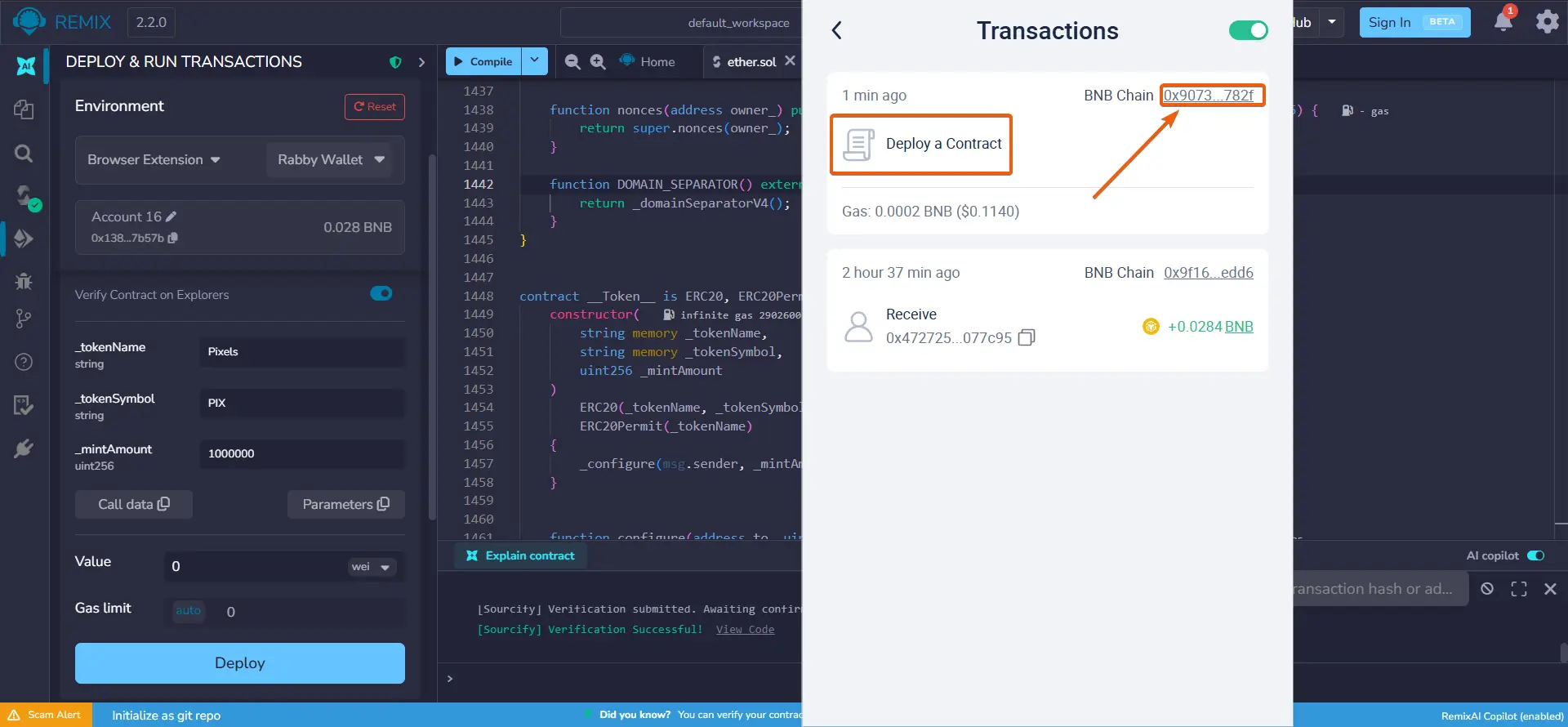
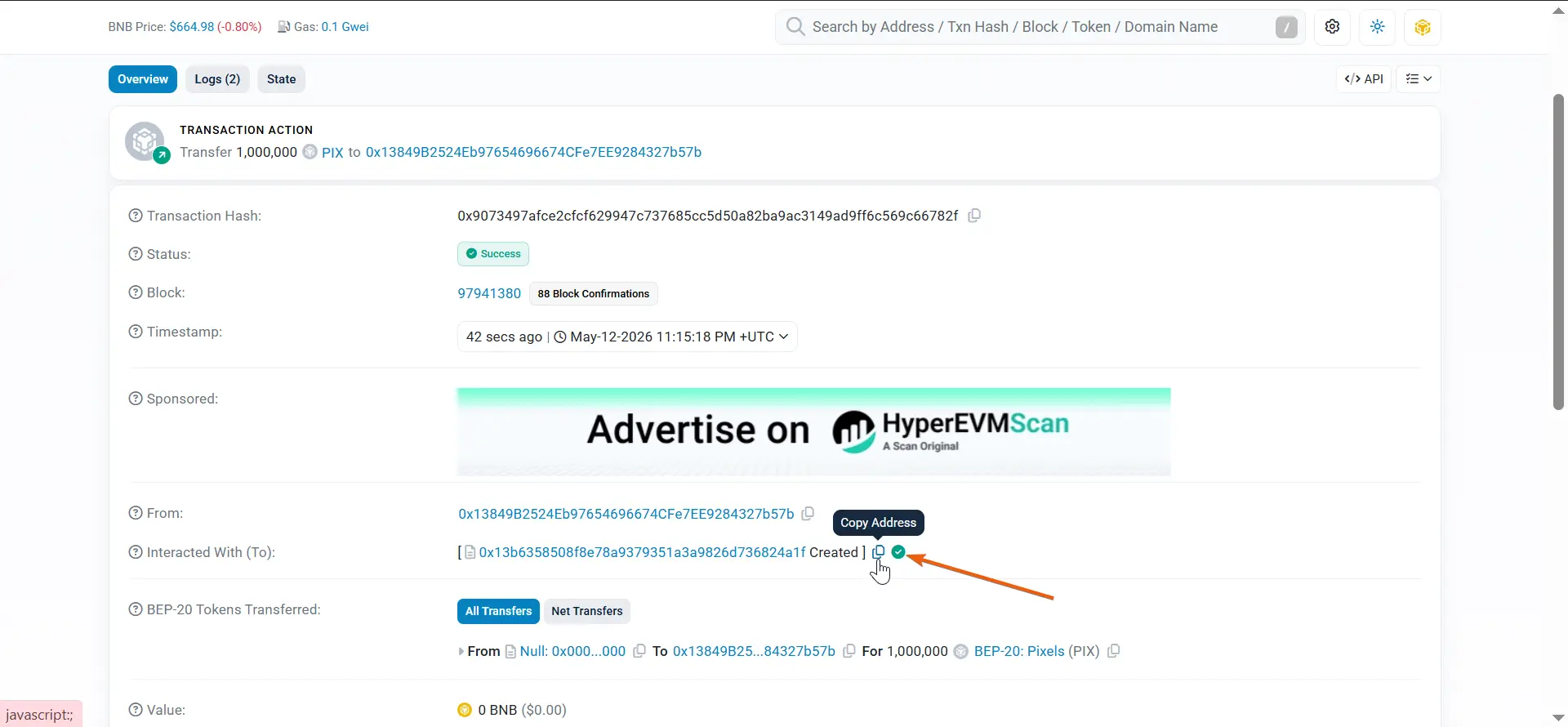
Find the latest 'Deploy a Contract' transaction and click the address on the right.
- 21
Obtaining the token address
Copy the address indicated by the green checkmark and 'Created' status. This is your token address.
Be sure to save it — you will need it later.


Listing the token on Uniswap or PancakeSwap and enabling 'Honeypot token' mode
- 22
Adding liquidity
If you deployed a BEP-20 token on Binance Smart Chain, follow the guide for adding liquidity on PancakeSwap.
If you deployed an ERC-20 token on Ethereum / Base / Arbitrum, follow the guide for adding liquidity on Uniswap.